
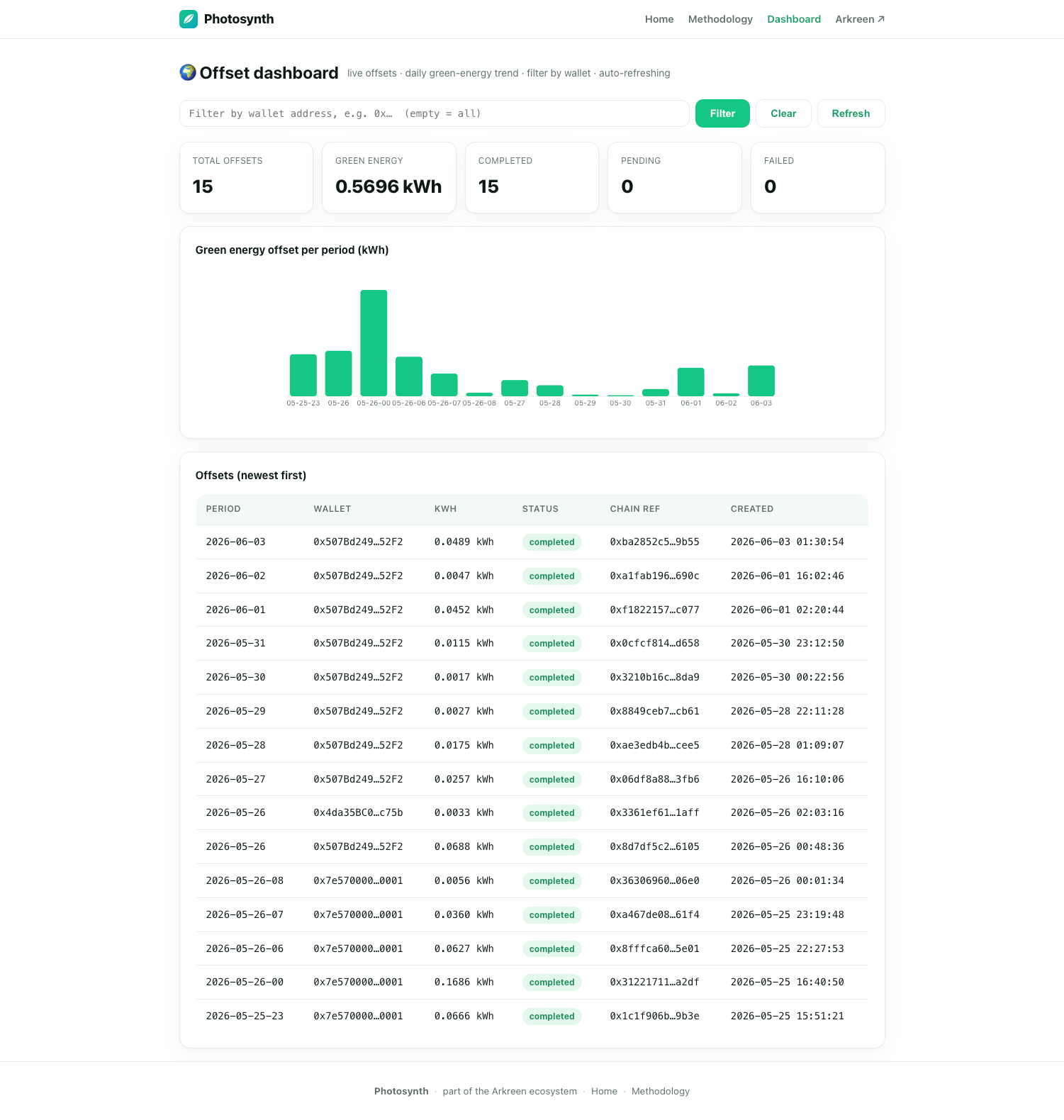
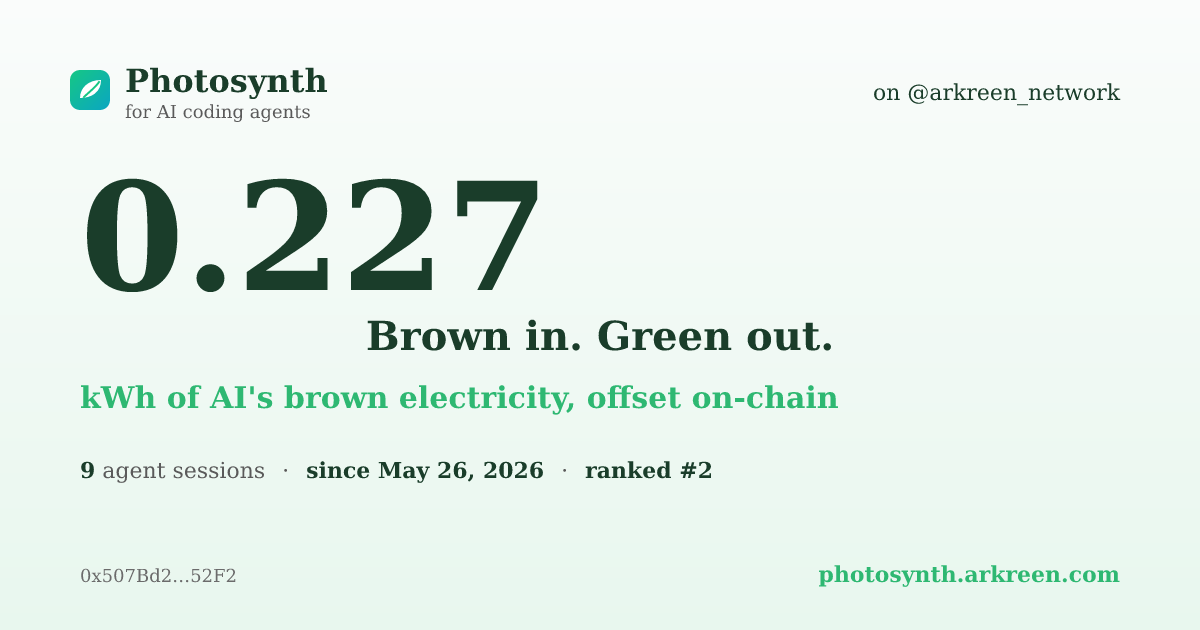
See it in action
Every offset lands on the public dashboard, and one keystroke (/photosynth:share) hands you a pre-filled X post with your own kWh card attached.
How it works
A single Stop hook rides along while you work — no daemons, no cron, no babysitting.
Measure
The hook estimates the electricity of your AI inference from the tokens generated — using a public, documented model.
Offset
Once per period it reports usage to Photosynth, which retires the matching amount of green energy on Arkreen — down to milliwatt-hours.
Feedback
When it settles, your agent shows a quiet note telling you how much green energy you contributed. Run /photosynth:share anytime to brag on X (Twitter) — your lifetime kWh total is pre-filled, no Twitter API setup required.
Who can join: anyone holding an Arkreen miner. If your wallet owns an Arkreen miner, you're eligible to participate. During current trial phase, offsets are free — one offset per wallet per period.
Privacy: we only send counts
The hook reads your local session transcript to count tokens, but only ever transmits token counts, model names, and a time range.
Never transmitted
Your conversations, prompts, file paths, or any code. The estimation method and every coefficient are public — no inflated numbers, no greenwashing.
An honest estimate
Electricity is estimated from output tokens against published per-model energy figures. It is symbolic by design — we show exactly how the number is produced, and let you audit every parameter.
Install
Photosynth supports Claude Code (via the GitHub plugin marketplace), OpenAI Codex CLI, and Kimi Code CLI (both via a small installer). Backend: https://photosynth.arkreen.com
① Terminal (Claude Code CLI)
Run these in Claude Code:
/plugin marketplace add https://github.com/arkreen/photosynth-plugin.git
/plugin install photosynth@photosynth
/reload-plugins
/photosynth:setup 0xYourWallet
The last line registers your wallet (Arkreen membership check), retrieves your token, and configures everything — no settings.json editing. To offset hourly instead of daily, append --interval 3600.
Then anytime after your first offset settles, share your stats on X:
/photosynth:share
Opens the X (Twitter) compose window pre-filled with your lifetime kWh retired, session count, and a tag for @arkreen_network. Uses Twitter Web Intent — no Twitter API setup. Tip: /ph<Tab>sh<Tab> is enough to invoke it.
② Claude desktop app
When /plugin isn't available in the chat, use the GUI:
- Click the + button next to the message box → Plugins → Add plugin.
- In the plugin browser, open the Marketplaces tab and add
https://github.com/arkreen/photosynth-plugin.git. - Back in Discover, install photosynth.
- Run
/photosynth:setup 0xYourWalletto register and configure. - Anytime after your first offset settles, run
/photosynth:sharein the chat to open X (Twitter) with your stats pre-filled.
③ Manual (no plugin system)
Works anywhere. Clone the repo, then from its root:
node client/install.mjs --wallet <your wallet> \
  --endpoint https://photosynth.arkreen.com
Auto-registers and merges a Stop hook into ~/.claude/settings.json. Then run /reload-plugins or restart. Add --interval 3600 to offset hourly.
④ Kimi Code CLI
Kimi has a native Stop hook system. Clone the repo and run the Kimi installer:
git clone https://github.com/arkreen/photosynth-plugin.git
cd photosynth-plugin/plugins/photosynth-kimi/scripts
node install.mjs
node setup.mjs --wallet 0xYourWallet
The installer copies the hook into ~/.kimi/photosynth/ and appends a Stop entry to ~/.kimi/config.toml. Then restart Kimi. Same backend, same dashboard, same eligibility rules.
⑤ OpenAI Codex CLI
Codex CLI has a native Stop hook system (~/.codex/hooks.json). Clone the repo and run the Codex installer:
git clone https://github.com/arkreen/photosynth-plugin.git
cd photosynth-plugin/plugins/photosynth-codex/scripts
node install.mjs
node setup.mjs --wallet 0xYourWallet
The installer copies the hook into ~/.codex/photosynth/ and merges a Stop entry into ~/.codex/hooks.json. On your next codex run, the TUI will prompt to trust the hook once — accept it, or type /hooks to review. Same backend, same dashboard, same eligibility rules.